FeaturesChipsetsLanguagesGuideSupportPrivacy Policy Get it onGoogle Play
Android · UART / RS232 loader

Upgrade and recover satellite receivers from your phone

STB Loaders turns an Android phone and a USB-to-serial adapter into a complete firmware loader for GX, ALI, Sunplus and Montage receivers, with guided steps, live progress and 10 app languages.
GXALISUNPLUSMONTAGE
FreeNo accountWorks offline10 languages
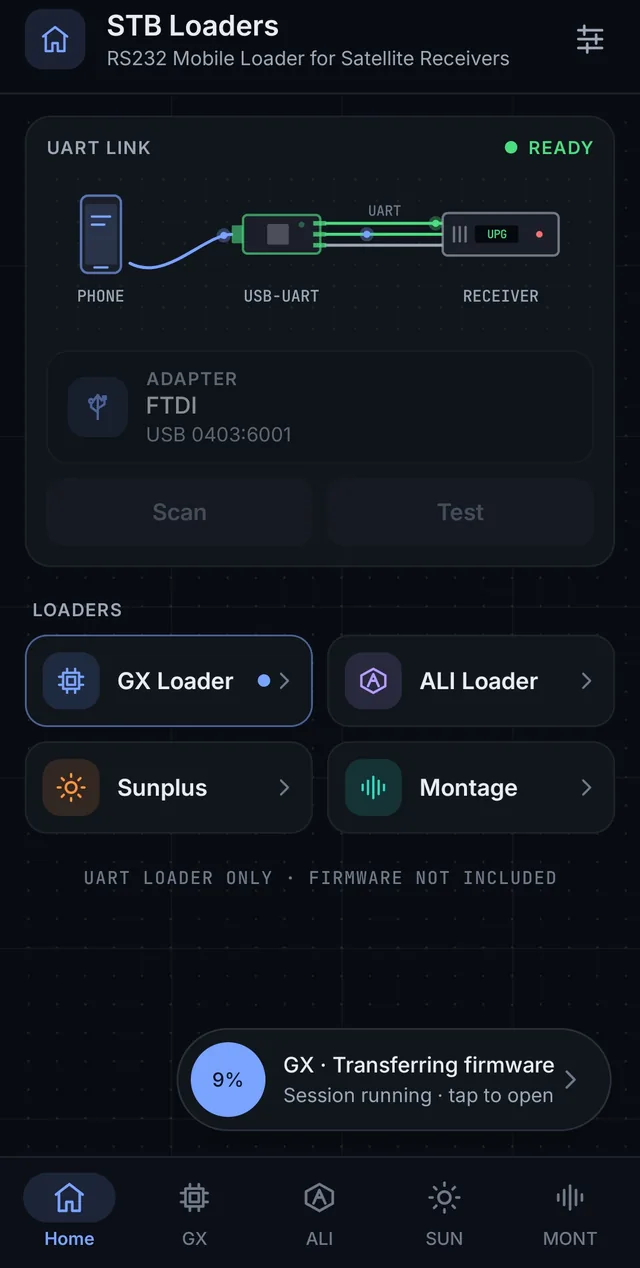
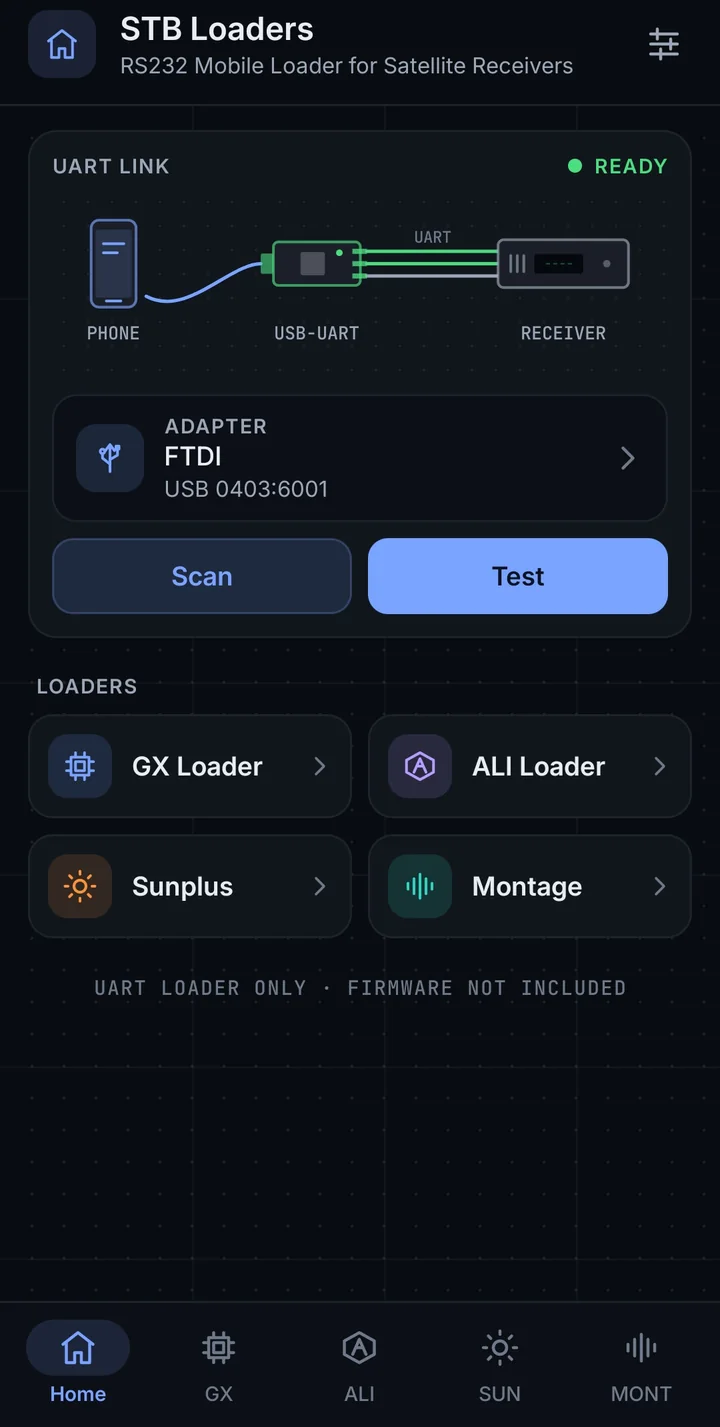
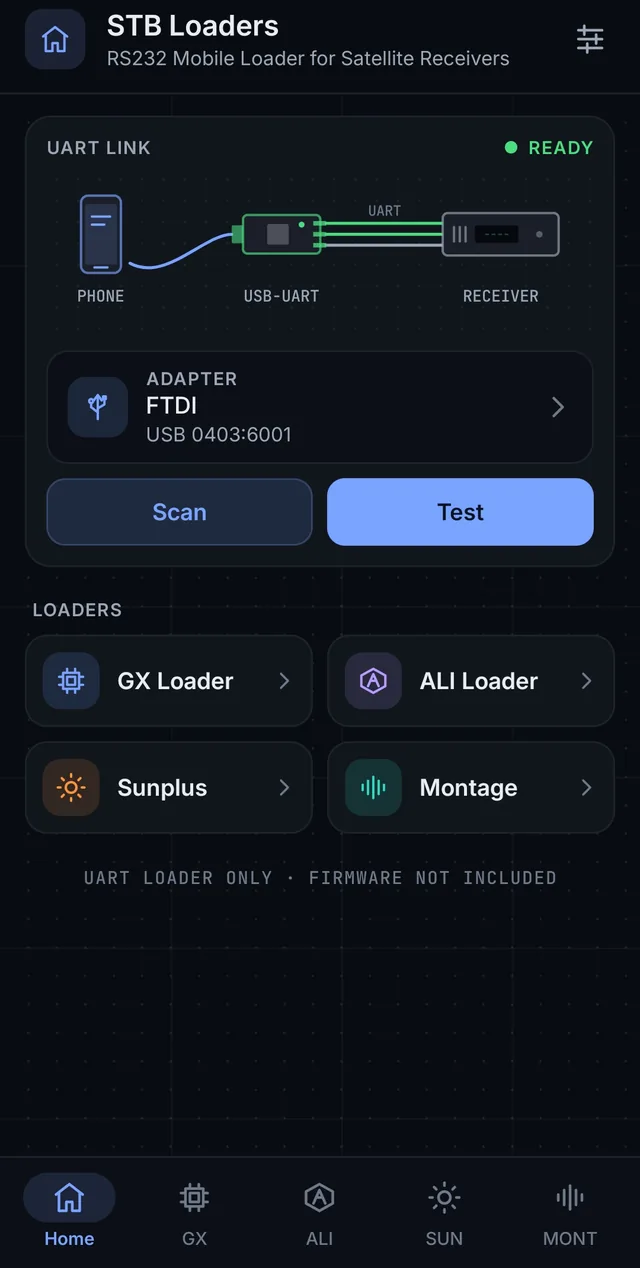
STB Loaders home screen with UART link and adapter status
Adapter connected
Serial port ready
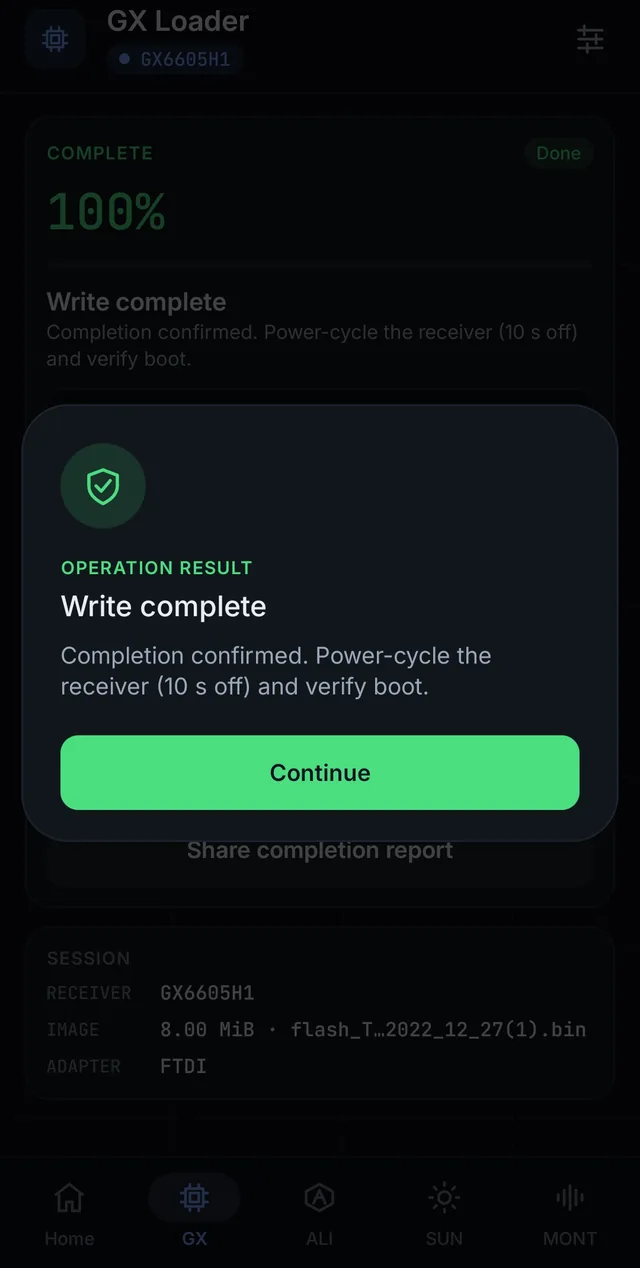
Firmware programmed
Result: done · 100%
4
Chipset families
30+
Receiver profiles
5
Adapter families
10
App languages
Features

Everything a receiver technician needs, on the phone

Built for service work at the bench or on site: fast to set up, clear at every step, and careful with your hardware.

Four loaders in one app

GX, ALI, Sunplus and Montage loaders, each with its own receiver profiles, file rules and safe defaults.

Adapter scan & test

Finds FTDI, CH340/CH341, CP210x, PL2303 and CDC/ACM adapters over USB-OTG and tests the serial port before you start.

Guided three-step flow

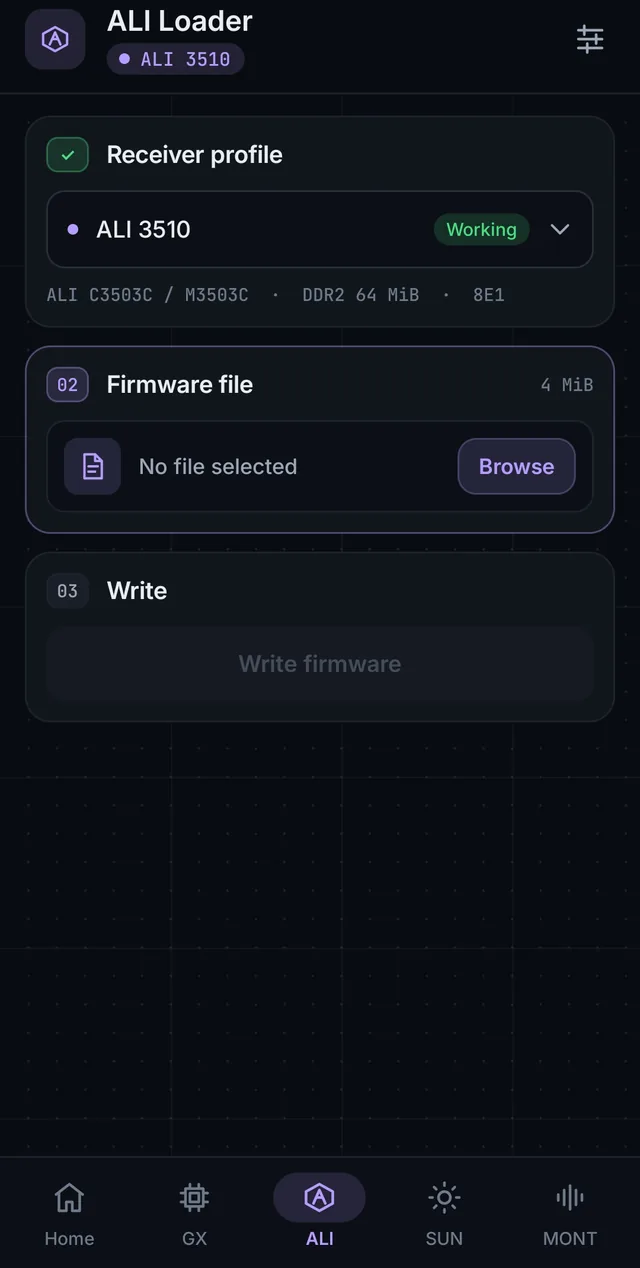
Receiver → Firmware file → Programming. Each step opens only when the previous one is ready, so nothing is missed.

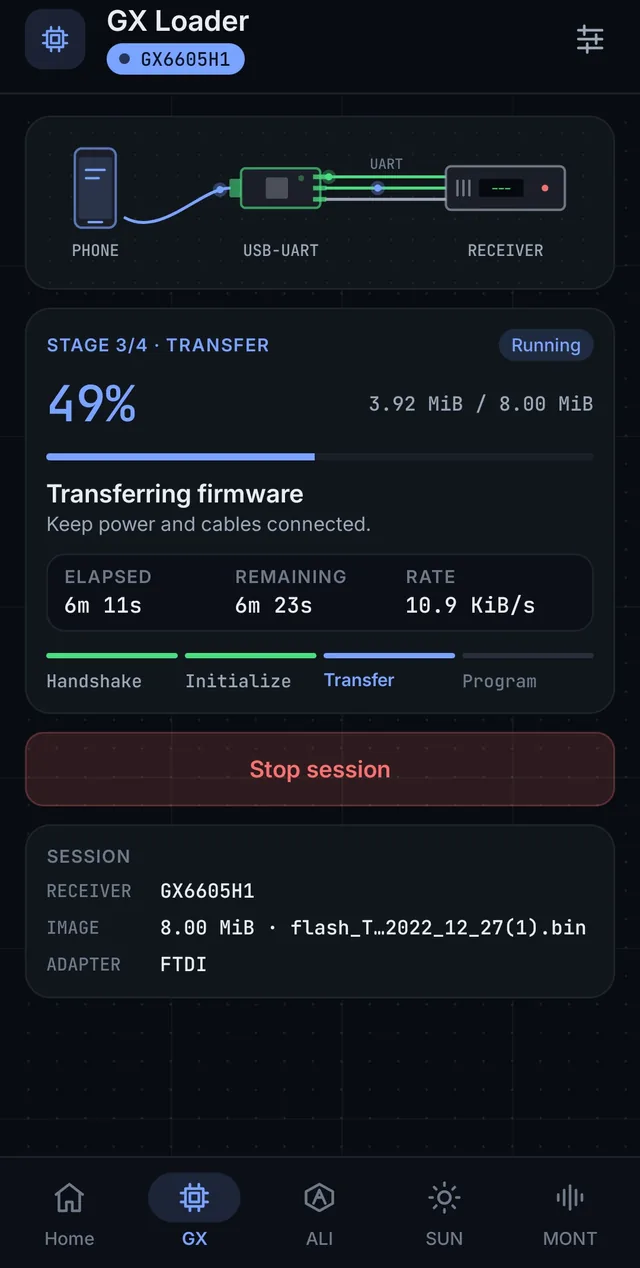
Live progress

Handshake, Initialize, Transfer and Program stages with percentage, speed, elapsed and remaining time.

Safe in the background

A foreground service with a Stop notification keeps the session alive. Optional floating progress and keep-screen-awake.

10 languages, dark & light

Switch language from the header in one tap. Arabic and Persian use a right-to-left layout. Dark, Light or Auto theme.

Verified profiles

Profiles confirmed on real hardware carry a Verified badge; the rest are marked Supported, so you always know what is proven.

Clear results & support

Plain success or failure screens with the next step. Send an error report or a support message with screenshots from the app.

Private and offline

No account. Firmware files and receiver data stay on your phone, and receiver programming works without internet.

How it works

Four steps from cable to result

01

Connect the adapter

Plug the USB-to-serial adapter into the phone with an OTG cable and tap Test adapter.

02

Choose the receiver

Open the GX, ALI, Sunplus or Montage loader and pick the exact receiver profile.

03

Select the firmware

Pick the firmware file for your receiver. The app checks the file size rule for that chipset.

04

Program & power on

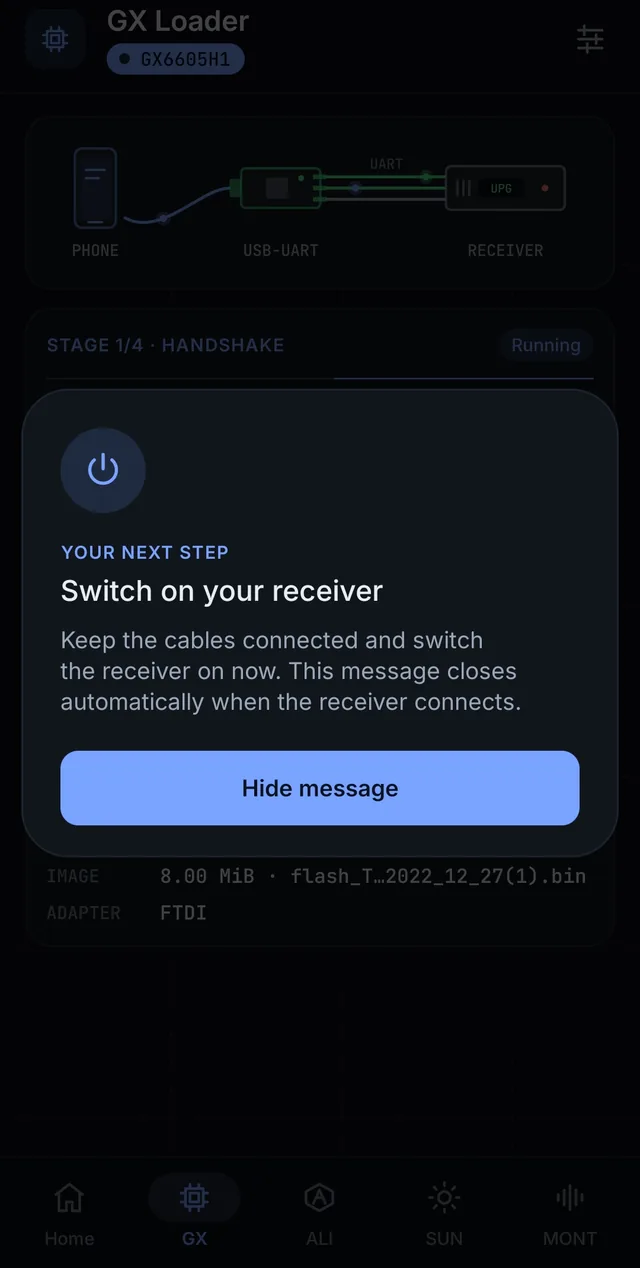
Keep the receiver off, tap Program firmware and turn it on when the app asks. Wait for the result.

Chipsets

GX, ALI, Sunplus and Montage loaders

Verified profiles are confirmed on real hardware. Supported profiles use the same loader and are ready to use; always pick the profile that matches your board.

GX

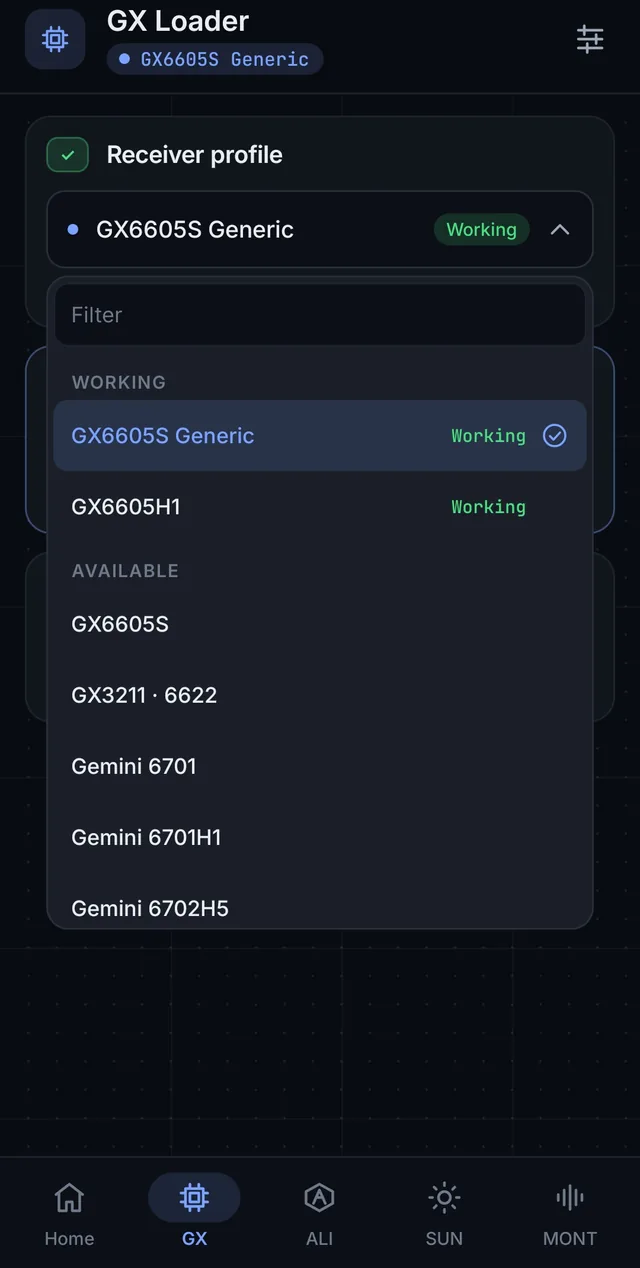
GX loader

NationalChip GX receivers over the UART boot loader.

  • GX6605S GenericVerified
  • GX6605H1Verified
  • GX3211 · 6622Supported
  • Gemini 6701 / 6701H1 / 6702H5Supported
  • Sirius · Taurus (Generic)Supported

Firmware: exactly 2, 4, 8 or 16 MiB · 115200 baud

ALI

ALI loader

ALi M35xx / M36xx / M38xx receivers with DDR and DDR2/DDR3 profiles.

  • ALI 3510 (C3503C / M3503C)Verified
  • M3503 · DDR2 / DDR3Supported
  • M3602 · M3603 · M3606 · M3601ESupported
  • M3811 · M3618Supported
  • M3821 · M3822 · M3823Supported

Firmware: exactly 4 MiB · UART parity option for Supported profiles

SP

Sunplus loader

Sunplus receiver families with a memory type choice.

  • 1516 / 06X / 05X / 08 / 9Supported
  • 1503 / 1505ASupported
  • 1502 / 1512Supported

Memory type: DDR2 or DDR3 · Firmware: 8 KiB to 32 MiB

MT

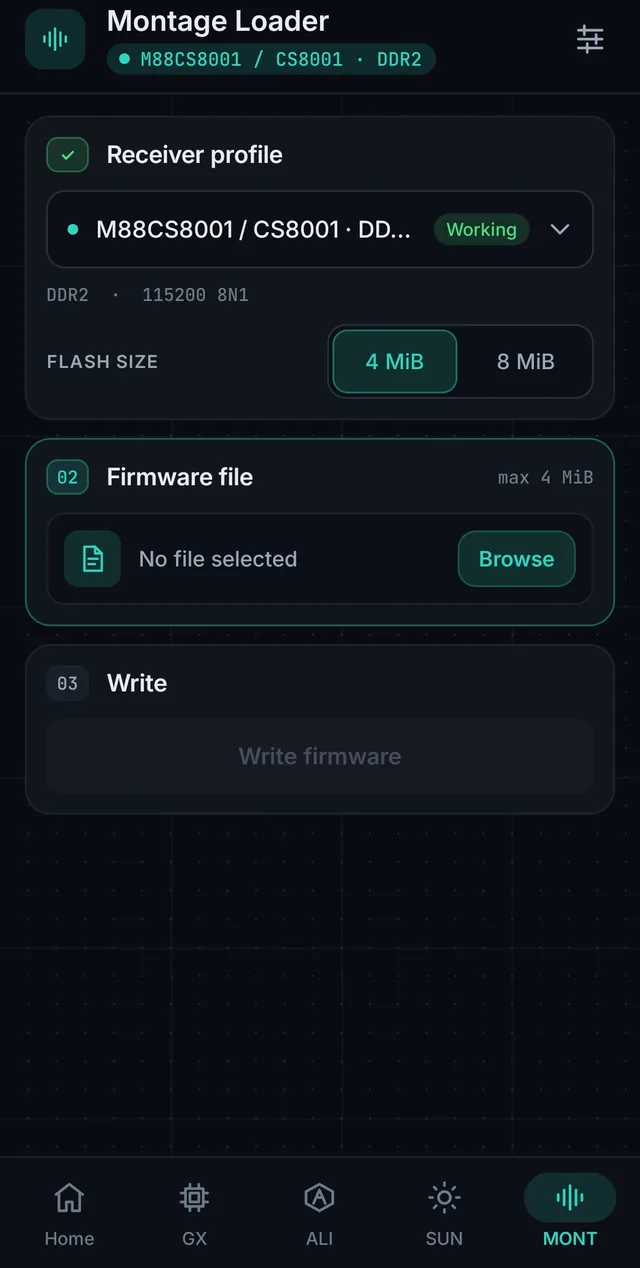
Montage loader

Montage M88CS8001 / CS8001 receivers with full chip erase, then write.

  • M88CS8001 / CS8001 · DDR2Verified
  • M88CS8001 / CS8001 · DDR3Supported

Flash chip size: 4 MiB or 8 MiB · 115200 8N1 · more Montage chips listed as coming soon

New · Multi-language

The whole app in your language

Buttons, steps, prompts, errors and results are translated in natural everyday wording, not word-for-word. Familiar technical terms such as Firmware, Adapter and UART stay as technicians know them.

  • Pick language and theme on first launch
  • Switch any time from the header or Settings
  • Right-to-left layout for Arabic and Persian
  • Dark, Light or Auto theme in every language
  • ENEnglishEnglish
  • URRoman UrduUrdu (Latin script)
  • ARالعربيةArabic · RTL
  • TRTürkçeTurkish
  • FAفارسیPersian · RTL
  • FRFrançaisFrench
  • IDBahasa IndonesiaIndonesian
  • RUРусскийRussian
  • ESEspañolSpanish
  • HIहिन्दीHindi
Adapters

Works with common USB-to-serial adapters

FTDI

FT232R and compatible. The hardware-proven path.

CH340 / CH341

Including CH343, CH9102 and common rebranded cables.

CP210x

Silicon Labs CP2102 / CP2104 family.

PL2303

Prolific and rebranded PL2303 cables.

CDC / ACM

Standard USB serial class devices.

USB-OTG

Your phone must support USB host (OTG).
Match the adapter to the receiver port: a USB-to-RS232 adapter for a DB9 RS232 port, a USB-to-TTL adapter for a TTL service header. Never connect TTL directly to an RS232 voltage port.
Screenshots

See it in action

Get STB Loaders on Google Play

Free for Android 8.0 and newer with USB-OTG.

No accountFirmware stays on your phoneNo ads during an operation
FAQ

Frequently asked questions

Is STB Loaders free?
Yes. STB Loaders is free on Google Play and shows ads. Ads are never shown while a receiver operation is running, and a rewarded option can make the app ad-free for 30 minutes.
Which receivers does it support?
Receivers with GX, ALI, Sunplus or Montage chipsets that use a UART (serial) boot loader. Each loader lists its receiver profiles; profiles confirmed on real hardware are marked Verified, the others Supported. A chipset name alone does not guarantee compatibility, so always select the exact profile for your board.
What do I need to use it?
An Android 8.0+ phone with USB host (OTG), an OTG cable, a supported USB-to-serial adapter (FTDI, CH340/CH341, CP210x, PL2303 or CDC/ACM) with the correct RS232 or TTL level for your receiver, and the correct firmware file for your exact receiver.
RS232 or TTL, which one should I use?
Use the level your receiver's service port expects. A DB9 RS232 port needs a USB-to-RS232 adapter; a TTL service header on the board needs a USB-to-TTL adapter. Never connect a TTL adapter directly to an RS232 voltage port.
Does the app include firmware files?
No. STB Loaders provides the loader only. Use the firmware file made for your exact receiver model and board.
Which languages does the app support?
English, Roman Urdu, Arabic, Turkish, Persian, French, Indonesian, Russian, Spanish and Hindi. You choose a language and theme on first launch and can switch any time from the header or Settings. Arabic and Persian use a right-to-left layout.
Does it need internet?
No for receiver work: adapter tests and firmware programming run offline. Internet is used only for update checks, ads, and reports or support messages you choose to send.
Do my firmware files leave the phone?
No. Firmware contents and receiver communication stay on the device. See the Privacy Policy for exactly what reports contain.
What if programming is interrupted?
Keep the phone, cables and receiver power stable until the result screen appears. If a session is interrupted, the receiver may need recovery: reconnect, select the same profile and firmware, and program again.